Minutes
Open the meeting from Meetings & agendas and choose Minutes. Drafting and editing minutes needs the Approver or Administrator role.
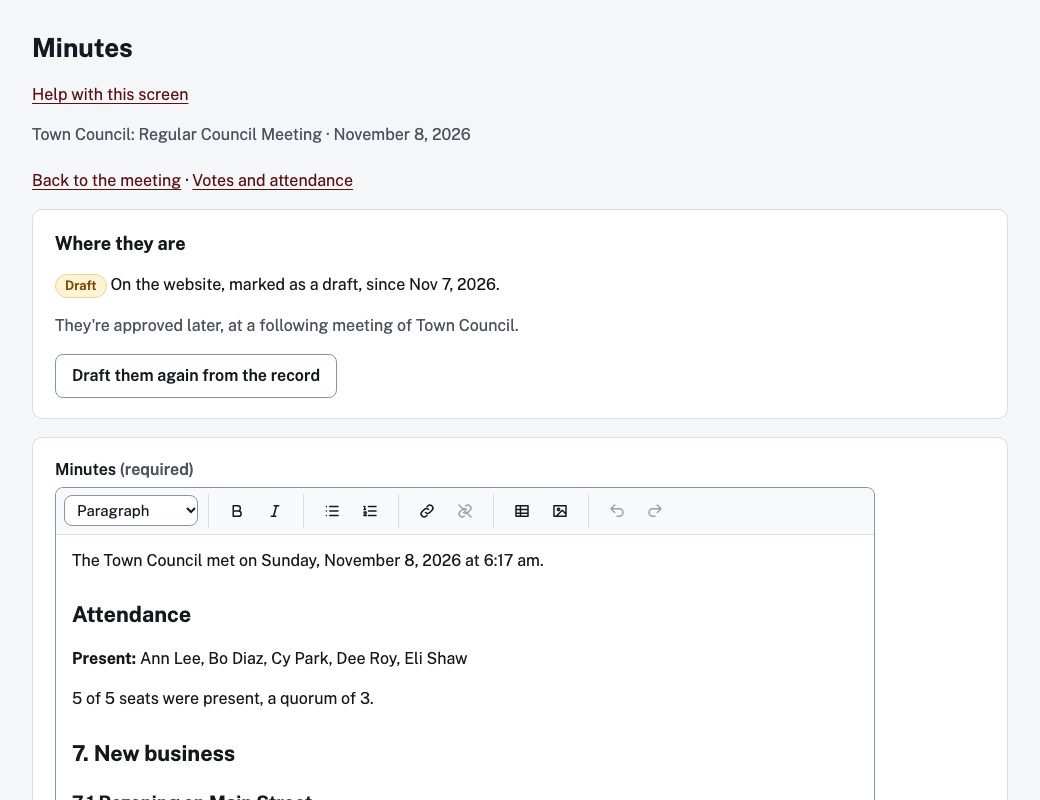
Draft and edit
- Under Where they are, choose Draft from the record. The draft is made from the votes and attendance already recorded. Take the votes first: Record a vote live.
- Edit the text in the Minutes box and choose Save.
- When it is ready, choose Put the draft on the website. It is posted marked as a draft.
Draft them again from the record replaces the current text, and asks you to confirm first.
Approve
Minutes are approved at a later meeting of the same council or board. On that later meeting's Minutes screen, Approve earlier minutes at this meeting lists the earlier minutes still waiting. Choose Approved at this meeting next to the right ones. Approved minutes cannot be changed.