Suggested image descriptions
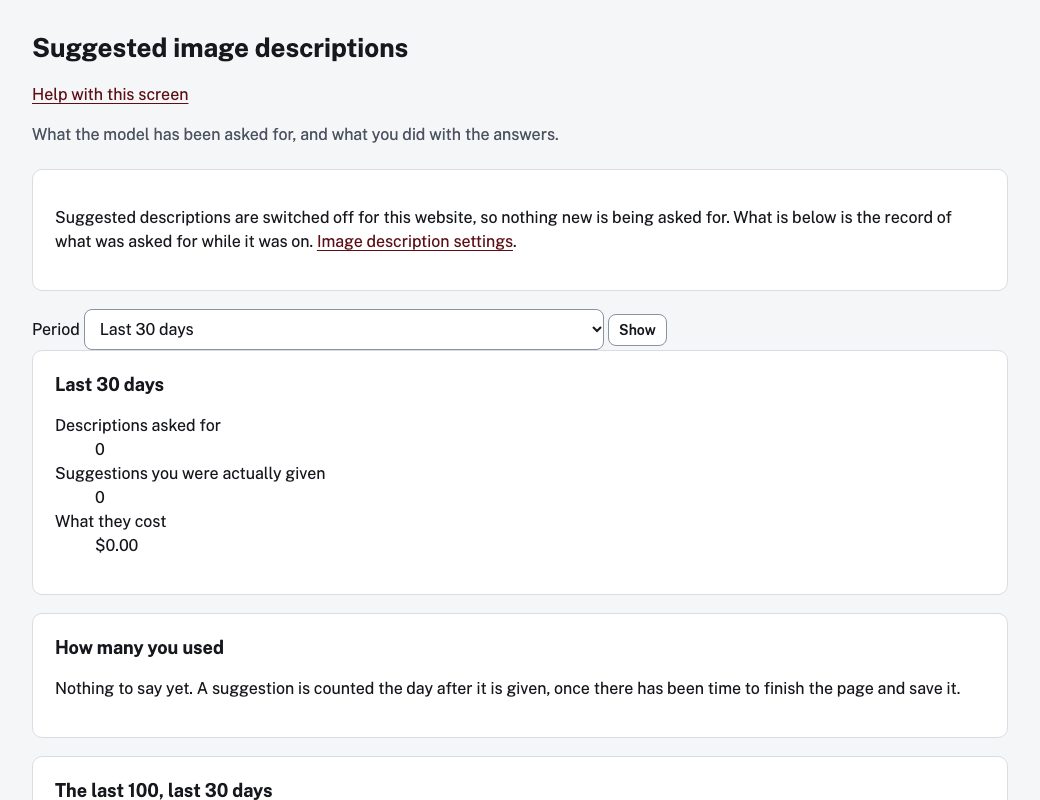
When your town has turned on suggested image descriptions, the page editor can offer a first-draft description for an image you add. Image description settings and the report described here are for administrators. Open Settings, then Image descriptions for the settings, and choose See what has been asked for to open the report. The Settings overview also lists it as Suggested descriptions: what was asked for.
A suggestion is only a draft. What residents read is whatever you leave in the image's description field and save.
What the report shows
Choose a Period (Last 30 days, Last 90 days or Last year) and choose Show.
- Descriptions asked for, and Suggestions you were actually given. The difference is those the model refused or could not make.
- What they cost.
- How many you used: how many suggestions ended up on the website, either as they came or after you edited them. A suggestion is counted the day after it is given. The outcomes are Used as it was, Used, after editing, Not used, The image was never published, The model gave no suggestion and No suggestion could be made.
- The last suggestions: the image, what the model suggested, the page, who asked, when, and the outcome. None of this is on the website.
If suggested descriptions are switched off, the screen says so and shows only the record of what was asked while it was on.